%201.webp)
02
AI Snaps
.svg)
.svg)
01
Our Work
03
About Us
04
Brand Audit
05
Contact Us
06
Client Success
12
07
Blogs
08
Careers
Book A Call
.svg)



.svg)
Need Help In Building Your Brand?
Click the button below & book a call with our founder directly.

Rishabh Jain
Managing Director
Getting approval on Blinkit as a first time brand isn’t a simple self-serve process. It requires a formal application, internal evaluation, and SKU-level approval before any product goes live.
If you're a FMCG founder, brand manager, or product marketing lead, this guide walks you through the entire journey.
We cover applications to your first live listing, including required documents, timelines, evaluation criteria, and the common roadblocks that delay approvals.
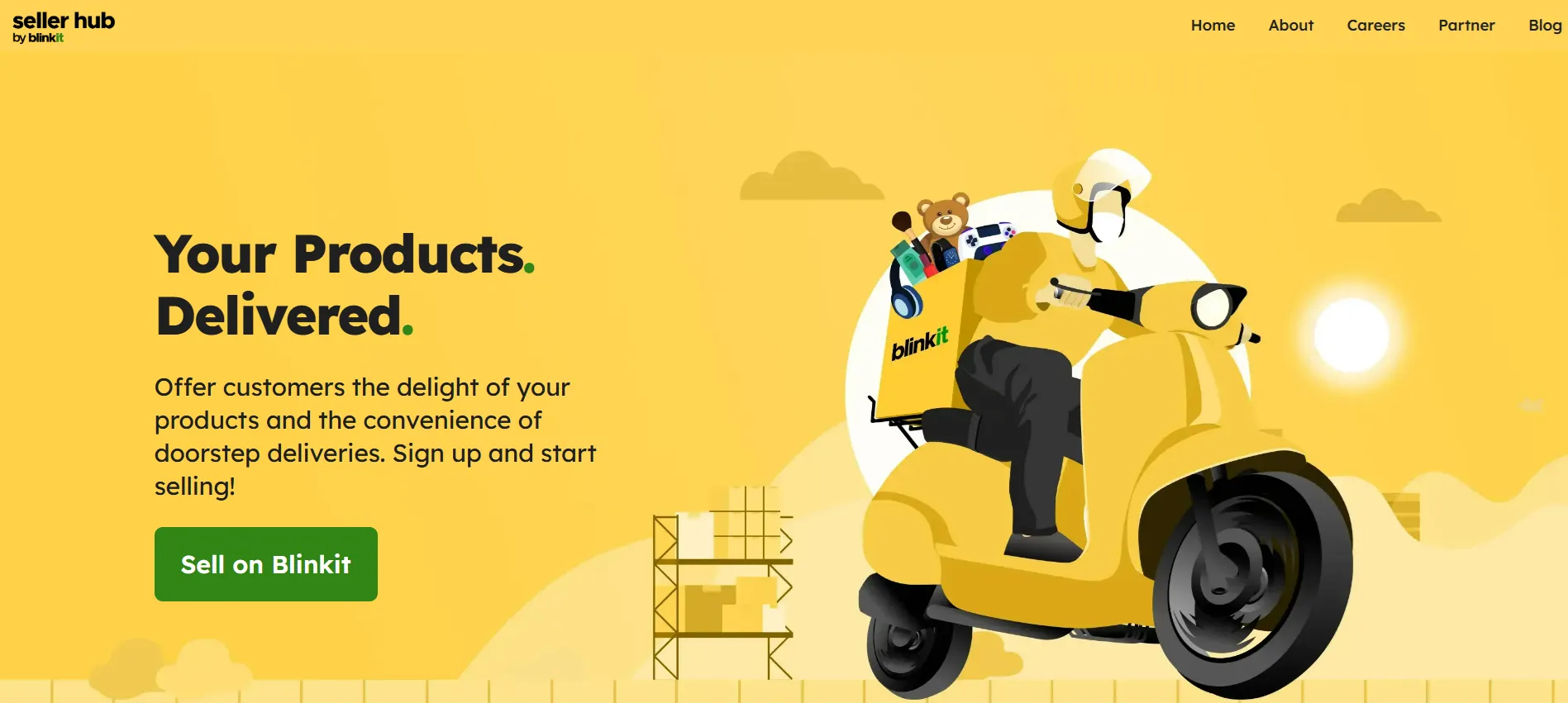
Blinkit is a market leader in India with around 45% of India's quick commerce market and every brand goes through a structured onboarding process with no exceptions.
1. Submit application on seller.blinkit.com
2. Blinkit internal screening and eligibility review
3. Business verification (KYC + documents)
4. Agreement sign-off
5. Manager assigned
6. SKU-level approval via NPI (New Product Introduction) flow
7. Backend inventory setup and dark store mapping
8. Go live on the Blinkit
📌 Note: Approval is not guaranteed.
Blinkit evaluates brand fit, category saturation, and supply capability.
At Confetti, we help FMCG and D2C brands onboard, optimize, advertise, and scale on quick-commerce platforms.
Blinkit is not open to individual sellers. The platform works with registered businesses and has specific expectations around compliance and supply capability before it even considers an application.
Blinkit's seller model recognises four categories of applicants. If your business comes under any of these categories then you can register on the Blinkit as a seller.
🟢Manufacturers with direct production capability
🟢Brand owners (trademark registered or in process)
🟢Authorized distributors with a brand letter
🟢D2C brands meeting compliance requirements
First-time brands fall under the brand owner or D2C brand category. Both are eligible. It just requires preparation that many new brands skip.
We at Confetti Design Studio, help brands create packaging design that sells for quick commerce like Blinkit.
👉Active GST registration
This is your business’s tax identity for selling across state lines.
Blinkit requires a valid GST number to process your invoices, collect taxes on sales, and ensure legal compliance. Without it, your onboarding cannot proceed.
👉A registered brand or trademark (or brand authorisation)
Blinkit prioritises branded products to maintain customer trust. If you own the brand, a trademark registration proves ownership.
If you are a distributor or reseller, you need a letter of authorisation from the original brand giving you explicit permission to list and sell their products on Blinkit.
👉Product categories Blinkit actively sources
The platform currently focuses on high-demand, repeat-purchase categories:
If your product falls outside these, approval is unlikely.
👉Ability to supply consistently across multiple cities
While not mandatory for launch, Blinkit strongly prefers partners who can eventually scale to 2–3 cities. Quick-commerce relies on rapid restocking.
Showing you have warehousing or distribution in multiple metros (e.g., Delhi, Mumbai, Bengaluru) makes your application far more attractive.
👉Products must comply with BIS, FSSAI, or other applicable regulatory standards
Your products must carry valid certifications:
Blinkit verifies these during onboarding to avoid legal penalties.
📌Note for first-time brands: You don’t need years of sales or big budgets to get on Blinkit. New D2C brands are accepted if your product is compliant and you can reliably manage inventory and delivery. Start with one city and scale.
To start selling on Blinkit, you must submit a specific set of legal and business documents.
Document gaps are the single biggest cause of delays in the onboarding process. Have everything ready in PDF format before you start.
Below is the complete list of documents required for Blinkit onboarding India, verified as per current compliance standards.
For each SKU you list on Blinkit, specific product-level documents and assets are mandatory.
📗Product Images (White Background & Dimensions)
Blinkit requires high-resolution product images on a pure white background (RGB 255,255,255).
Dimensions must be at least 800×800 pixels (up to 2000×2000 recommended), in JPEG format under 5 MB, with no shadows, props, or watermarks.
A front-facing image is mandatory; some categories may need additional angles.
📗Product Description & Specification Sheet (Per SKU)
Each SKU must have a structured spec sheet (Excel/PDF) covering: product name (as per packaging), brand, category, ingredients/materials, net quantity, dimensions/weight (if applicable), storage instructions, and country of origin.
Electronics must also include technical details like voltage, wattage, and certifications.
📗MRP Label Compliance (Legal Metrology Rules)
All products must display an MRP label compliant with Legal Metrology rules.
This includes MRP (inclusive of taxes), manufacturer/packer/importer details, net quantity, manufacturing/packing date, and expiry or “best before” date.
Proof images may be required; non-compliance can lead to rejection.
📗EAN / Barcode Requirement
Every SKU needs a unique EAN-13 or GTIN barcode that is scannable on the packaging. These are used for inventory and order tracking.
If GS1 barcodes are unavailable, internally generated barcodes can be used, but must be unique and shared along with barcode images in the catalog.
Blinkit's internal review is not just a paperwork check. It is a multi-layer assessment and understanding it helps you position your application correctly.
➡️Category demand check: Blinkit evaluates if your product category already has consistent customer demand in target cities based on buying trends and sales data.
➡️Saturated categories: In crowded segments like packaged snacks, approvals can be slower or limited unless your product offers a clear differentiation.
➡️Niche categories: Unique or underserved categories often get faster approval as they help fill gaps and expand Blinkit’s product assortment.
➡️GSTIN and PAN verification: Blinkit checks your GSTIN and PAN against official government databases to confirm your business is legally registered and active.
➡️FSSAI licence check: Your FSSAI licence is reviewed for validity and whether the correct category (state or central) applies to your scale of operations.
➡️Trademark verification: Your brand name is cross-checked to ensure it’s registered or legitimately used, reducing the risk of duplication or impersonation.
➡️MRP and labelling rules: Your packaging must follow Legal Metrology (Packaged Commodities) Rules, ensuring MRP, quantity, manufacturer details, and other mandatory information are clearly mentioned.
➡️FSSAI compliance for food: Food products must have valid Food Safety and Standards Authority of India approval along with accurate ingredient lists and nutritional information on the label.
➡️Imported product requirements: Imported items must clearly display country of origin, importer details, and valid FSSAI registration to meet Indian regulatory standards.
➡️10-minute delivery model: Blinkit’s operations are built around hyperlocal dark stores with pre-stocked inventory to enable rapid fulfilment.
➡️Warehouse-based supply: Brands must supply and maintain stock at Blinkit’s warehouses instead of fulfilling orders only after they are placed.
➡️Consistent replenishment: Reliable and regular inventory restocking is critical—brands that can’t maintain supply continuity are often deprioritised.
➡️Platform costs: Blinkit usually takes a commission (around 8–15% depending on category) and may charge a per-SKU listing fee, so your pricing must account for these deductions.
➡️Margin check: If your pricing leaves little to no margin after commissions and costs, your product may be flagged as commercially unviable.
➡️Competitive MRP: Your MRP should be in line with pricing on platforms like Amazon or your D2C store to avoid pricing conflicts and maintain competitiveness.
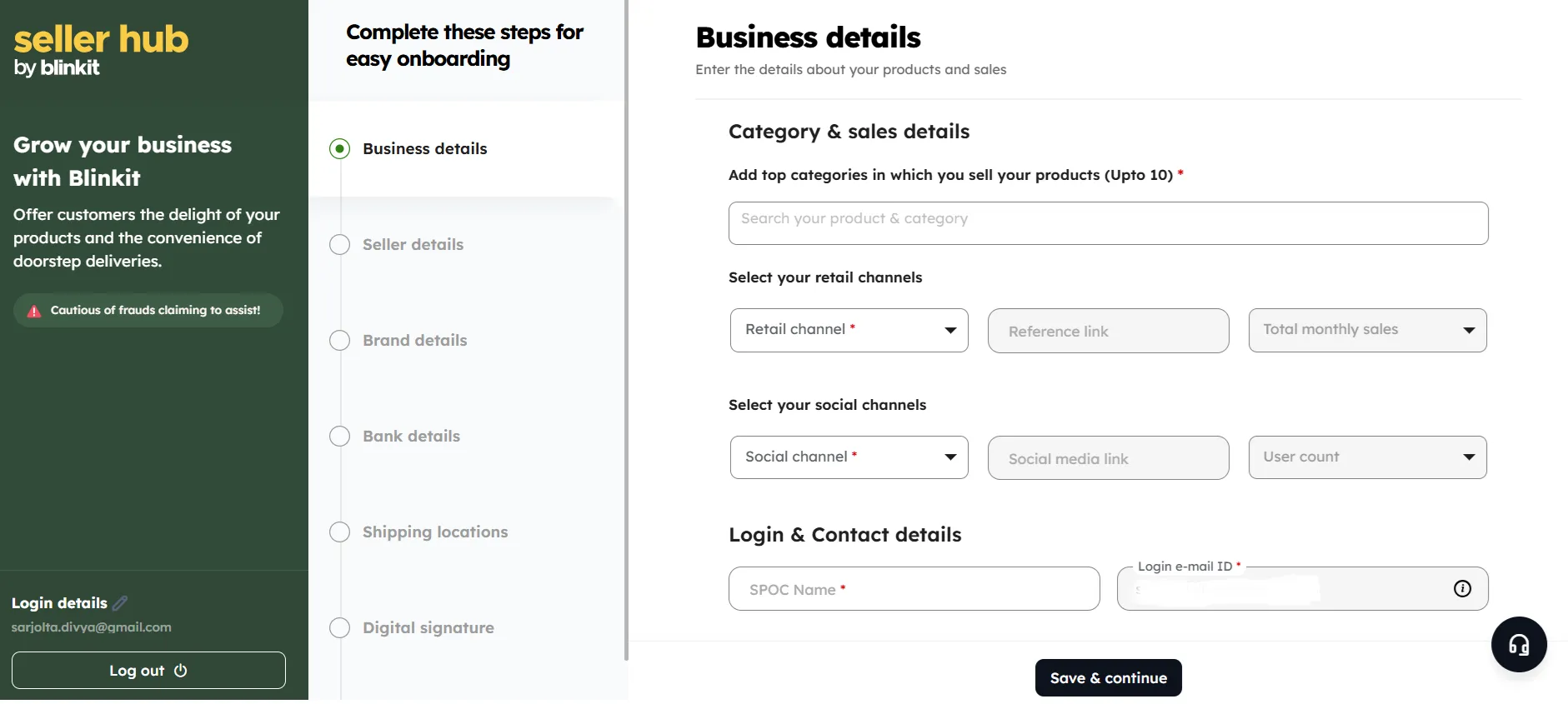
1. Register on the Blinkit Seller Portal
Go to seller.blinkit.com. Click "Sell on Blinkit." Enter your email, verify with OTP. Select your selling category and enter business details.
2. Verify your GSTIN
Enter your 15-digit GSTIN. Blinkit auto-fetches your business info from the GST database. Confirm it matches your other documents exactly.
3. Enter brand and product details
Add brand name, description, and category. This is your first impression with the category team, be specific and accurate.
4. Submit bank details and KYC
Add IFSC code, account number, and upload KYC documents. Blinkit uses this to set up your payout structure.
5. Category Manager assignment
Once initial submission is reviewed (usually 7–15 days), a Category Manager is assigned.
They become your single point of contact. Follow up proactively applications can stall at this stage without follow-up.
6. Product listing upload
Upload SKUs in Blinkit's required format: product name, description, weight, shelf life, MRP, EAN barcode, and compliant images. Each SKU goes through a compliance check.
7. PLA (Product Listing Advertisement) payment and commercial terms
Under the SOR model, pay the ₹25,000 per SKU per cluster PLA fee. Sign the Vendor Master Agreement. The agreement defines commission rates, payment terms, and return policies.
8. Review, PO, and first dispatch
Blinkit reviews listings (7–15 days). Once cleared, a Purchase Order is raised. You dispatch stock to the designated dark store(s). Your products go live.

Talk to Confetti about getting your brand Blinkit-ready
Book A Call
Timelines can vary significantly based on how prepared you are, the quality of your documentation, and the category you’re entering.
However, having a clear sense of the usual onboarding timeline makes it much easier to plan your inventory, manage cash flow, and execute your launch strategy with confidence.
📌Document completeness: Missing or incorrect documents are the #1 cause of delays. City rollout scope also affects the timeline starting with 1–2 cities is faster than a pan-India launch.
Most rejections are preventable and are caused by lack of preparation.
Here is what gets first-time brands turned away:
⛔Incomplete or mismatched documents.
The name on your GSTIN must match the brand name in your application and on your packaging. Even a minor discrepancy between a legal entity name versus a trade name is enough to trigger a rejection. Fix mismatches before you apply, not after.
⛔No active FSSAI licence for food products.
A lapsed licence, an incorrect licence category, or no licence at all will end your application immediately for any food or beverage SKU. Blinkit verifies licence validity directly against the FSSAI portal; there is no workaround.
⛔Non-compliant product labels.
Legal Metrology (Packaged Commodities) Rules require MRP, net weight, manufacturer name and address, and country of origin on every label. Missing a single mandatory field is grounds for NPI rejection. Your packaging needs a compliance review before submission, not during it.
⛔Products already listed at lower prices.
If a near-identical product is already available on Blinkit at a lower MRP, your application faces a difficult case. Category Managers are unlikely to add supply that undercuts an existing seller without a clear, demonstrable point of difference.
⛔Category saturation in target cities.
Blinkit actively manages supply depth per category per city. If your category is already well-served in your target markets, there is no operational reason for them to add another brand. Starting with Tier 2 cities or genuinely underserved categories improves your approval odds significantly.
⛔Pricing that doesn't support the commission structure.
Blinkit charges 8–15% commission. If your MRP leaves no room for these deductions while staying competitive on the app, the application won't progress. Model your unit economics before you finalise pricing.
⛔No EAN or barcode on product SKUs. Every SKU needs a unique EAN code. Without it, Blinkit's warehouse management system cannot track or stock your product. No barcode means no dark store listing regardless of everything else in your application.
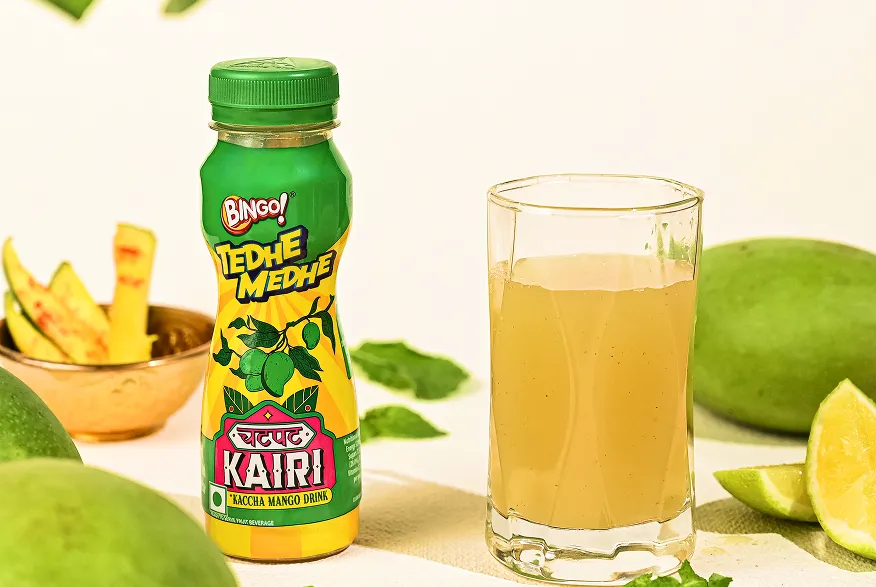
We at Confetti Design Studio, support brands through the entire Blinkit onboarding journey not just packaging, but everything required to get your product approved and live on the platform.
We start with packaging that’s built for quick commerce.
This means clear front-of-pack communication, strong visual hierarchy, and compliance with retail requirements like MRP, expiry, and barcode placement.
We’ve delivered over 200 projects for leading Indian retail brands such as ITC, Dabur, Sunfeast, and The Indus Valley.
This experience has given us a clear understanding of what gets approved and what gets rejected on Blinkit.
Our approach is built and tested specifically for FMCG products across Indian retail, including the rapidly growing quick commerce space.
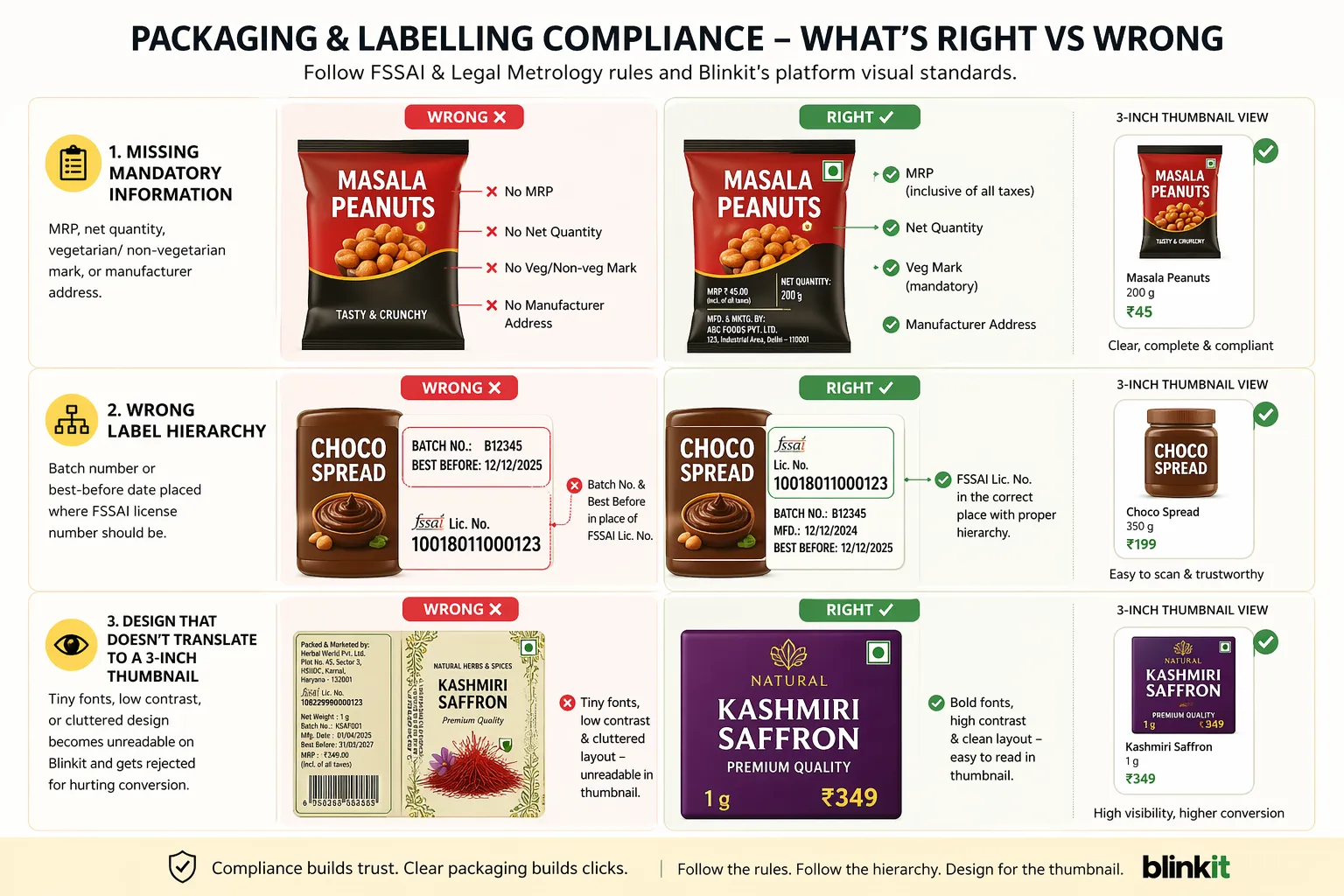
Two things stop most first-time brands before they even reach the Category Manager stage on Blinkit:
Packaging & Labelling Non-Compliance
Blinkit’s compliance team follows FSSAI and legal metrology rules strictly but they also apply their own platform-specific visual standards.
Common rejections include:
🚫Missing mandatory information- MRP, net quantity, vegetarian/ non-vegetarian mark, or manufacturer address.
🚫Wrong label hierarchy- Batch number or best-before date placed where FSSAI license number should be.
🚫Design that doesn't translate to a 3-inch thumbnail- Such as tiny fonts, low contrast, or cluttered design, becomes unreadable on Blinkit and often gets rejected for hurting conversion.
Not Understanding the Onboarding Workflow
Blinkit’s internal process follows a sequential chain:
Document submission → NPI (New Product Introduction) form → APOB (Article Proof of Business) → catalog upload → store-mapping → go-live.
Most first-time brands lose weeks because they:
🚫Outdated documents- Submit outdated or mismatched documents across GST, FSSAI, and trade licenses.
🚫Incorrect information- Fill the NPI form incorrectly (e.g., wrong category codes or pack size units), triggering automated rejections.
🚫Miss APOB amendments – Blinkit may ask for a corrected invoice or bank statement, and each resubmission resets the review queue.
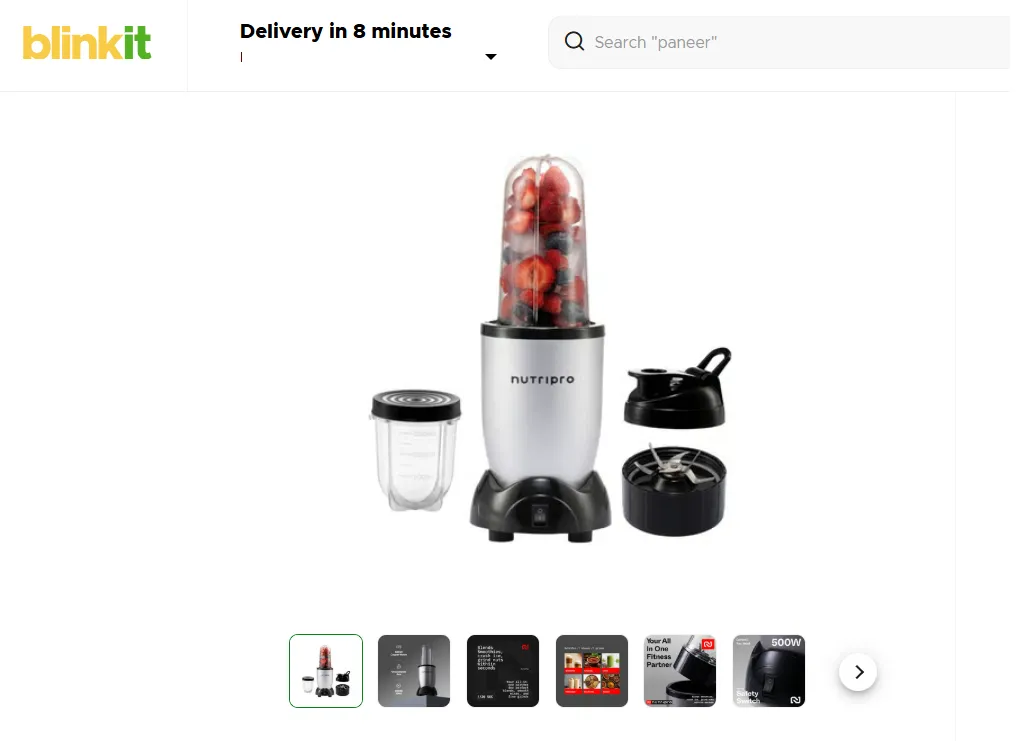
Confetti Design Studio is a brand and packaging design and quick commerce consultancy that works with FMCG, D2C, and consumer brands across India.
On the design and packaging side, Confetti helps brands:
✔️Audit and prepare documents before submission to reduce screening-stage rejections
✔️Navigate the NPI (New Product Introduction) workflow, including SKU approvals, catalog setup, and compliance checks
✔️Coordinate APOB registration for multi-city inventory movement and dark store supply
✔️Support Category Manager communication with the right pricing, margin, catalog, and product positioning data
✔️Strategise phased, city-by-city and pin-code-level launch sequencing to improve approval speed, visibility, and early sales traction
✔️Optimise listings with quick-commerce-focused copywriting, keywords, thumbnails, and imagery designed for app discovery and conversion
✔️Plan sponsored placements and ad visibility strategies so products surface where customers are actively browsing
✔️Align packaging, labelling, and barcode systems with Blinkit, Zepto, and Instamart onboarding requirements to avoid operational delays and catalog rejection.
What documents do I need to sell on Blinkit as first time brand in India?
You need a GSTIN certificate, PAN card, cancelled cheque, trademark certificate or brand authorisation letter, FSSAI licence (for food products), product images, EAN/barcode per SKU, and compliant MRP labels. Category-specific licences like BIS or drug licences may also apply.
Does Blinkit accept small or new brands, or only established ones?
Blinkit does list new and small brands, particularly in categories with unmet demand. However, you need a compliant product, active GSTIN, and a valid brand registration or trademark. Supply consistency matters, dark store models require reliable inventory replenishment.
What is the NPI process on Blinkit?
NPI stands for New Product Introduction. After your seller account is approved, each SKU goes through a separate NPI review. You submit product details, images, pricing, and regulatory documents per SKU. Blinkit's category team approves or rejects each product individually. This process usually takes 1–3 weeks per batch.
What is an APOB and why do I need it for Blinkit?
APOB stands for Additional Place of Business. To supply inventory to Blinkit's dark stores across cities, you must add those warehouse addresses to your GST registration. This is a legal requirement under GST and is necessary before you can ship stock to Blinkit's fulfillment locations.
Can I sell on Blinkit without a trademark?
Yes, if you are an authorised distributor of another brand, you can submit a Brand Authorisation Letter in place of a trademark certificate. If you own the brand, registering a trademark is strongly recommended, it protects your listing and prevents listing disputes.
Want strategic branding and packaging like this for your business?





.webp)
.webp)

.webp)
.webp)
.webp)
.webp)
.webp)






.svg)
.webp)