%201.webp)
02
AI Snaps
.svg)
.svg)
01
Our Work
03
About Us
04
Brand Audit
05
Contact Us
06
Client Success
12
07
Blogs
08
Careers
Book A Call
.svg)



.svg)
Need Help In Building Your Brand?
Click the button below & book a call with our founder directly.

Rishabh Jain
Managing Director
Before your first SKU goes live you must furnish documents required for Blinkit onboarding in India. Most onboarding delays are caused by preventable documentation gaps that surface at the wrong moment.
This guide covers every document Blinkit requires, why is each needed, and the specific reasons applications get rejected, so you can submit once and move fast.
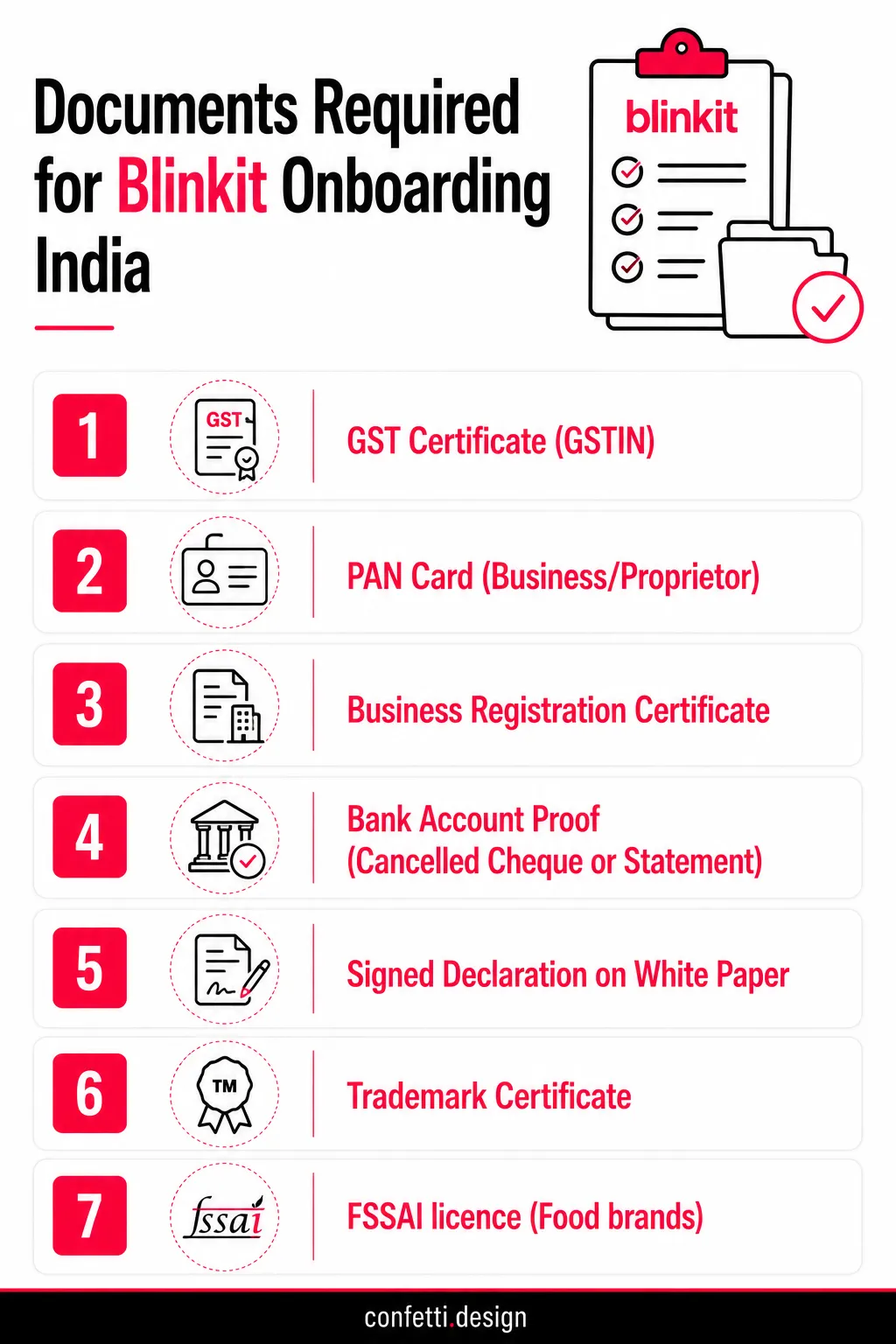
Onboarding on Blinkit requires 7-12 documents depending on your business entity type, category, and whether you're a brand owner or reseller. Most applications get rejected because sellers miss the contextual requirements like APOB or trademark proof.
Below is the exact checklist.
Missing any one of these will stop your Blinkit seller application before it starts.
📑GST Certificate (GSTIN)
Every seller on Blinkit must be GST-registered. Your GSTIN needs to match the state where your warehouse or fulfilment point is located, because Blinkit maps your inventory to specific dark stores by geography.
If you plan to sell across multiple cities, say, Delhi and Bengaluru simultaneously, you'll need GST registration in each of those states, either through a primary registration or an Additional Place of Business (APOB) amendment.
📑PAN Card (Business or Proprietor)
For Private Limited companies, LLPs, and OPCs, this is your company PAN. For proprietorships, it's the proprietor's individual PAN.
Blinkit uses this for TDS deductions and payout reconciliation. So the name on the PAN must match the name on your bank account exactly.
Even a minor mismatch (a missing middle name, "Pvt Ltd" vs "Private Limited") can hold up your payout setup. Get this right before submission.
📑Business Registration Certificate
The document you submit here depends on your entity type:
Proprietorships don't have a single unified registration document, which is why Blinkit asks for a combination of proofs. Have at least two ready.
📑Bank Account Proof (Cancelled Cheque or Bank Statement)
Submit a cancelled cheque or a recent bank statement within the last 90 days for the account into which you want payouts credited. The account must be in the name of the registered business entity, not a personal account.
If you're a proprietorship and your current account is under your personal name, this can create complications.
A current account in your trade name, supported by GST or shop establishment documentation, is the cleaner path.
📑Signed Declaration on White Paper
This is a self-certification that the documents you've submitted are genuine and that the information provided is accurate to the best of your knowledge.
It needs to be signed by the authorised signatory whoever signed the incorporation documents or holds signing authority for the business.
No specific format is mandated, but it should include your business name, GSTIN, the declaration statement, date, and signature with a stamp if applicable.
📌Blinkit accepts proprietorships, but in practice, their vendor team views Private Limited, LLP, and OPC structures as more scalable, lower-risk partners.
This doesn't mean you'll be rejected as a proprietorship but it does mean you may face more scrutiny during evaluation. If you're planning to scale across multiple cities or dark store clusters, make sure to incorporate before you apply.
📑Trademark Certificate or Pending Application Acknowledgement
While trademark is technically not mandatory at application, an unregistered brand with no trademark paperwork is a red flag for Blinkit's verification team especially in crowded FMCG and personal care categories where lookalike brands are common.
If registration is in progress, the filing acknowledgement is acceptable.
Beyond Blinkit onboarding, an unregistered brand on a quick commerce platform is genuinely vulnerable: anyone can list a similar name, and you have limited recourse without trademark protection.
File early as the process takes months for full registration, but protection is considered from the date of application.
📑Brand Authorization Letter (BAL)
If you're not the brand manufacturer or a distributor, authorised reseller, or regional stockist, you need written authorisation from the brand owner to sell on Blinkit.
The BAL must be on the brand's official letterhead, signed by an authorised person, and should specify the product categories and geographical scope of the authorisation.
A generic "to whom it may concern" letter won't pass verification. Make sure it's specific, dated, and current.
📑High-Resolution Company Logo
Blinkit's specification is 576×576 px, JPG or PNG format. This appears on your seller profile and carries over to your product listings.
Submit a clean version on a white or transparent background, no taglines embedded in the logo file, no low-resolution exports.
If your logo file is only available in a format built for print (CMYK, high-DPI PDF), you'll need an RGB-converted, screen-optimised version. This is a small but frequently fumbled detail.
This helps Blinkit's Category Manager (CM) assess product-market fit and brand viability before assigning inventory slots. A brand with zero online presence will face more rigorous checks.
Even a clean, well-designed product page improves how serious your product looks. You can represent your brand presence through:
📑Social Media Profiles
Submit direct URLs to your active profiles. Instagram is the most weighted, followed by LinkedIn for B2B credibility signals. Your profile should be consistent with the same brand name, same logo, same visual identity across platforms.
An Instagram page with irregular posts and mismatched branding undercuts the professional image you're trying to establish with Blinkit's Category Manager.
📑Website URL
A live, functional website, even a single-page Shopify store or a clean landing page is a good proof for your brand presence.
It should display your product range, brand story, and contact information at minimum.
If your site is under construction at the time of application, prioritise getting at least a holding page live with your logo, product images, and a working contact form.
📑Marketplace Listings (Amazon, Flipkart, Myntra, etc.)
If you already sell on other platforms, include those links.
Verified listings on Amazon or Flipkart with real reviews tell Blinkit's team that your product has been through a compliance and listing process before which reduces their perceived risk.
Even a handful of reviews with a 4+ rating carries weight.
📑Sales History
If you have a sales history, share it, even informally. A PDF showing monthly order volumes, retail distribution reach, or wholesale invoices gives the Category Manager a basis for demand forecasting and slot allocation.
If you're pre-revenue, don't fabricate or inflate. Instead, lead with category research, target pricing, and your go-to-market plan.
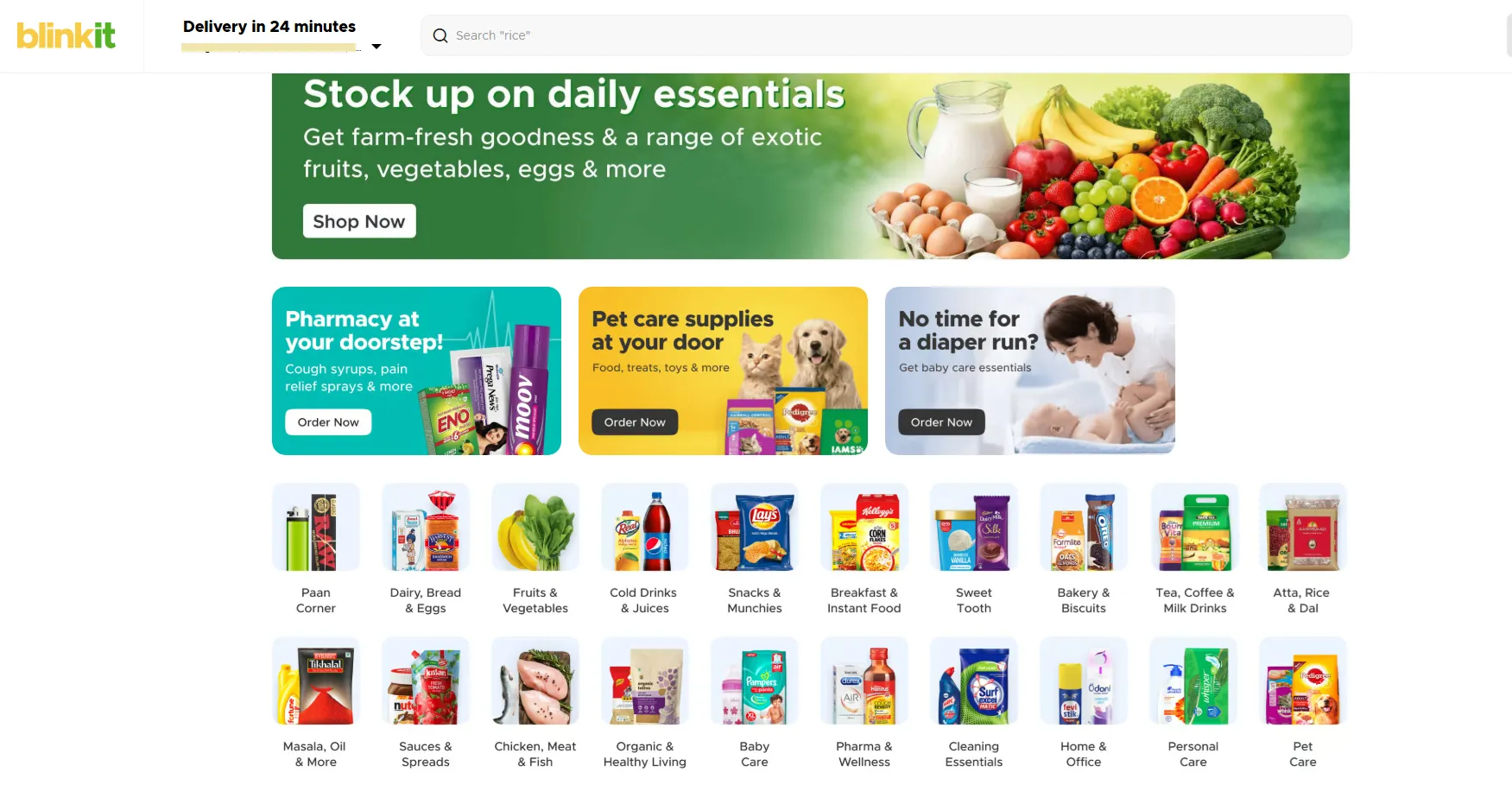
Your core business documents get you into the room. Category-specific documents determine whether you actually get listed.
Blinkit's item creation team cross-checks your product submissions against category compliance requirements before any SKU goes live. Missing a single document at this stage can block your entire catalogue, even if your seller account is technically approved.
This is the most document-intensive category on the platform and the one with the highest rejection rate due to incomplete compliance chains.
📗The 3-Layer FSSAI Requirement
Apart from the FSSAI licence, you need compliance across three separate entities:
Brands that secure only their own FSSAI licence and ignore the manufacturer link can frequently get blocked during item creation.
If your co-manufacturer doesn't have a valid FSSAI licence, or if it's expired, Blinkit will flag your product regardless of your own documentation status.
Verify your manufacturer's FSSAI before you begin your application.
📗FSSAI Licesce Type: Which One You Need
📗Packaging-Level FSSAI Compliance
The licence document alone isn't enough. Your physical packaging must display:
Blinkit's catalogue team will cross-reference the packaging images you upload during item creation against these requirements.
If there's a discrepancy between what's on the pack and what's in your documents, the SKU gets rejected.
OTC medicines and regulated health products require a Drug Licence issued by your State Drugs Controller.
This is separate from FSSAI and required for any product that makes therapeutic or medicinal claims.
Nutraceuticals, protein supplements, herbal wellness products, and functional foods often sit in a grey zone. Some fall under FSSAI as food products, others require a Drug Licence depending on their ingredient composition and the claims made on pack.
Filing the wrong document type doesn't just delay your application; it can result in your products being miscategorised on the platform entirely.
If your product sits anywhere near this boundary: immunity boosters, herbal extracts, fortified foods, probiotic supplements, confirm your regulatory classification with a consultant before you apply.
Brands sourcing from outside India or selling internationally manufactured products need a separate documentation layer:
📌Even if your brand is Indian but you're importing specific SKUs, say, a base ingredient processed abroad or a co-manufactured product from a Southeast Asian facility, the IEC and import clearance requirements still apply to those specific products.
Categories like household essentials, personal care, stationery, and basic electronics carry fewer documentation layers than F&B, but compliance requirements still exist.
📌BIS certification isn't optional for in-scope products; Blinkit's catalogue team will flag uncertified products in regulated categories.

Talk to Confetti experts about getting marketplace-ready
Book A Call
APOB is the single biggest operational blocker post-application. Let me explain exactly what it is and why Blinkit won't move without it.
In GST, your Principal Place of Business (PPOB) is your headquarters or main office where you handle core business activities. An Additional Place of Business (APOB) is any other location where you carry out taxable activities (storage, sales, administration, etc.).
For example, your company is registered in Gurgaon. That's your principal place of business on your GST certificate. But you want to sell on Blinkit in Mumbai.
Your inventory will sit in a Blinkit dark store in Andheri. That dark store is in Maharashtra. Your GST registration is in Haryana.
Under GST law, that Andheri warehouse address must be registered as an Additional Place of Business under your existing GSTIN.
Without APOB approval for that specific warehouse address, three things happen:
APOB processing can be slow. It takes anywhere from a few days to 3–4 weeks depending on the state.
📌In mid-2025, Blinkit introduced a simplified model allowing some sellers to operate under a single GST registration but this isn't universal. Confirm your specific arrangement with Blinkit before assuming you're exempt from APOB or additional FSSAI requirements.
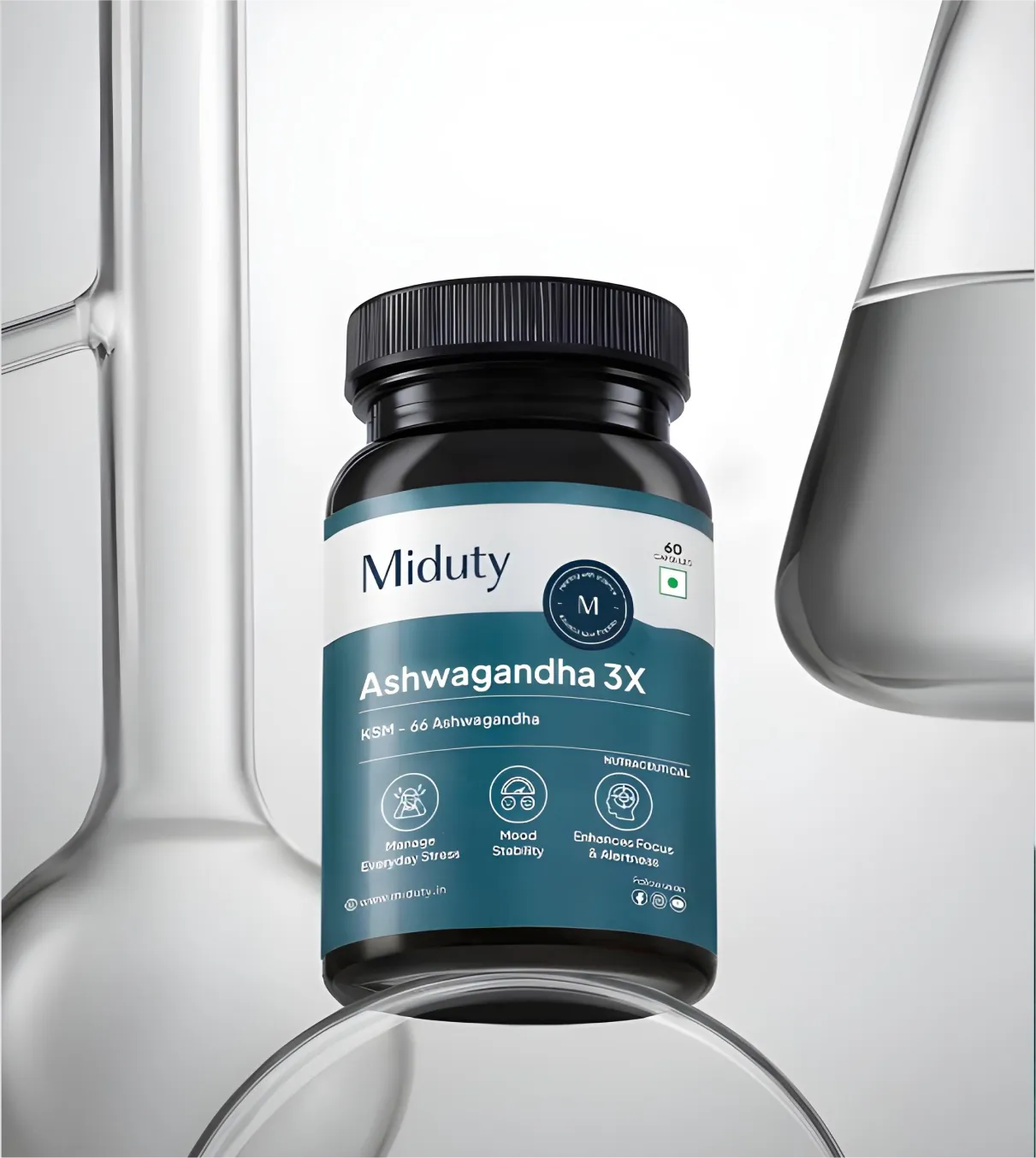
Your GST certificate and FSSAI license help you get onboarded on Blinkit. But they don't get your product live on Blinkit. That depends entirely on what's printed on your package.
Here's what Blinkit's dark store inward team actually checks when your stock arrives. Miss any of these, and your consignment gets rejected at the gate. No appeal. No second chance the same day.
Blinkit will block item creation outright if:
⛔Barcode is missing or unscannable. The picker scans every unit. One failed scan stops the entire SKU.
⛔MRP is absent or inconsistent with your listed price. If the pack says ₹99 and your listing says ₹149, rejection.
⛔FSSAI license number is not on the primary packaging for food products. Inserts don't count. Stickers don't count .
⛔Shelf life is insufficient for quick commerce throughput. Blinkit usually requires 60-70% of shelf life remaining at inwarding. A 12-month product needs 7-8 months left .
⛔Legal Metrology labelling requirements are incomplete. Name of manufacturer, net quantity, batch number, date of manufacture, all mandatory
A product compliant for Blinkit onboarding should carry:
A product compliant for Blinkit onboarding must carry all of the following on its primary packaging:
At Confetti, we've worked with FMCG brands, D2C challengers, and established players preparing for quick-commerce launches and the pattern is consistent: brands treat documentation and packaging as two separate workstreams. They're not.
Our packaging carries your compliance documentation.
We work with brands before they apply for onboarding on Blinkit.
What this looks like:
✅Packaging compliance audit before Blinkit submission.:
We scan your existing artwork against Blinkit's dark store requirements, Legal Metrology rules, and FSSAI labelling norms. Barcode placement, tamper-evident seals, veg/non-veg mark size, MRP printing method. Everything .
So when a Category Manager reviews your SKUs, they see a brand that's operationally serious, not one that needs remedial work.
✅Label redesign to meet FSSAI and Legal Metrology standards.
Not just making it look good, but making it legally functional. FSSAI logo placement, batch number formatting, manufacturer address compliance .
✅Barcode placement and spec review.
A barcode printed on a curved seam fails. A barcode with insufficient contrast fails. A barcode that wraps around a corner fails. We check these before printing .
✅Brand identity work
We help brands develop a compelling brand identity. This makes a strong impression at the Category Manager review stage.
Blinkit's CM sees hundreds of applications. A brand that looks serious, clean logo, consistent visual language, professional product thumbnails, moves faster .
✅Visual brand assets for seller profile.
Logo at 576×576 px, product images that survive Blinkit's aggressive cropping, variant differentiation that works in a thumbnail grid.
📌Our work with brands including ITC Bingo and B-Natural reflects what it takes to make packaging that's shelf-ready and quick commerce platform-ready at the same time.
Most brands that get turned away fail on one of three layers: their documents, their packaging, or their brand credibility.
All three are fixable, but only if you catch them before you apply.
Most rejections at this stage come down to mismatches or missing documents.
🚫GSTIN and APOB address mismatch
Your Additional Place of Business must match the address registered with GST. Even minor discrepancies (floor number, pincode) trigger rejection.
🚫Trademark certificate missing or brand name inconsistency
If your trademark is pending or your brand name appears differently across documents, Blinkit's team flags it. Consistency across every document is important.
🚫FSSAI license doesn't cover the shipping state
A central FSSAI license covers all states; a state license is restricted. If you're shipping from a state not listed on your license, your application stalls.
🚫Bank account not in the registered business entity name
Personal accounts or accounts in a trade name that doesn't match your GST registration will be rejected outright.
🚫Incomplete or unsigned declaration letter
Blinkit requires a signed declaration on company letterhead. Missing signatures, missing dates, or plain-paper submissions are common reasons for a second round of rejection.
These rejections happen at the dark store level.
🚫Missing or unscannable EAN barcode
Every SKU needs a scannable EAN-13 barcode. Printed too small, placed on a curved surface, or on shrink wrap that distorts the bars? It won't scan, and the shipment gets returned.
🚫MRP absent or inconsistent with Blinkit listing price
The MRP printed on pack must match exactly what's live on your Blinkit listing. A ₹2 discrepancy between the two is enough to trigger rejection.
🚫FSSAI number not printed on the primary pack
For food and beverage products, the FSSAI license number must appear on the primary packaging itself, not just the outer carton or insert. Secondary packaging alone doesn't count.
🚫Shelf life below minimum threshold at time of inwarding
Blinkit requires a minimum remaining shelf life at the point of inwarding, usually 60–70% of total shelf life depending on the category. Stock that's too close to expiry won't be accepted regardless of when it was manufactured.
🚫Legal Metrology labelling incomplete
Net weight, country of origin, manufacturer name and address, month and year of manufacture, these are mandatory under the Legal Metrology (Packaged Commodities) Rules. Missing even one field is grounds for rejection.
Not all rejections are paperwork problems. Blinkit's category teams also evaluate whether your brand is worth the shelf space.
🚫No trademark and no clear brand ownership evidence
An unregistered brand with no TM application, no domain ownership, and no other proof of brand intent is a red flag. You don't need a registered trademark to apply, but you need something that establishes you as the brand owner.
🚫Brand with zero online presence or marketplace history
No website, no Amazon or Flipkart listings, no social presence. If a Category Manager can't find your brand in thirty seconds, your credibility case is weak before the conversation starts.
🚫Product category mismatch with Blinkit's current demand focus
Blinkit onboards selectively based on what's moving in their dark stores. A product that doesn't fit current demand patterns in your target city cluster may get deferred regardless of brand quality.
📌A brand founder shared her experience that the Blinkit onboarding process was painfully slow, marked by constant email back-and-forth, unclear timelines. So, it is advised to be ready with all the necessary documents.
Most brands take four to eight weeks from application to first purchase order.
Is GST registration mandatory to sell on Blinkit in India?
Yes. A valid GSTIN is mandatory for all Blinkit sellers. Blinkit operates as a third-party aggregator under the CGST Act, which requires suppliers to be GST-registered.
If you plan to sell across multiple states, you'll also need to add each Blinkit warehouse address as an APOB (Additional Place of Business) under your GSTIN.
Is an FSSAI license required for Blinkit seller onboarding?
Yes, if you're selling food, beverage, or any packaged consumable. Blinkit requires FSSAI licenses for three separate entities: your shipping/warehouse location, the Blinkit warehouse receiving your goods, and the manufacturer (if production is outsourced).
Missing even one of these three can result in your items being blocked at the listing stage.
Do I need a trademark to sell on Blinkit?
A registered trademark is not technically mandatory, but it is strongly recommended. Without a trademark certificate or a filed trademark application, Blinkit's verification team may flag your brand as unverified especially in high-competition categories.
It also protects you from listing hijackers who could sell under your brand name.
What is APOB and why does it delay Blinkit onboarding?
APOB stands for Additional Place of Business. Under GST law, if your inventory is stored at a location not listed as your principal place of business, including Blinkit's warehouses.
That address must be added to your GSTIN. Without APOB, Blinkit cannot legally issue Purchase Orders or inward stock in that state. It is often the longest step in onboarding.
Can a D2C brand without marketplace history sell on Blinkit?
Yes, but expect more scrutiny. Blinkit asks for sales figures and online presence to evaluate vendor viability.
A D2C brand with strong packaging, a recognisable brand identity, and clear online presence even if early-stage has a stronger chance of approval than one with no public-facing brand footprint.
What are the packaging requirements for listing products on Blinkit?
Your packaging must carry a scannable EAN/UPC barcode, printed MRP inclusive of GST, FSSAI license number and logo (for food), manufacturer name and address per Legal Metrology rules, net quantity, and batch/expiry date.
Sticker-printed MRPs and pixelated barcodes are commonly flagged during item creation review and delay your go-live date.
How long does Blinkit seller onboarding take in India?
Document verification takes 3–7 business days. SKU approval takes another 3–7 days per batch via the NPI process. APOB setup can add 1–4 weeks depending on the state.
Brands that prepare all documents and initiate APOB simultaneously can usually go live within 3–5 weeks of application.
Want strategic branding and packaging like this for your business?





.webp)
.webp)

.webp)
.webp)
.webp)
.webp)
.webp)







.svg)
.webp)